

iPhone Tool Kits 2.9
It is a tool that assist's you in backing up all the files on your iPhone
Program info
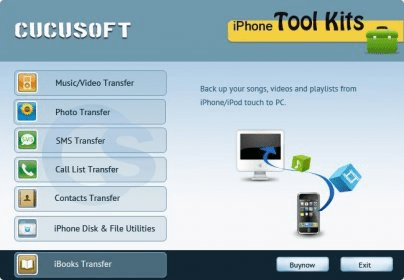
iPhone Tool Kits is a suite of tools designed to backup your iPhone. Apparently, the application doesn't need iTunes for it to work, which is a great plus for me. iPhone Tool Kits uses a main window that serves as a task launcher. It lists all the different types of data that you can transfer from your iPhone to your PC. These are: music and video, photos, SMSs, call lists, contacts, and iBooks. There is a button that reads "iPhone Disk & File Utilities" which should allow you to use your iPhone as a removable drive.
I tested a few of this application's features. The first one was the music backup tool. It successfully connected to my device and listed all the playlists and every song that I have on my iPhone. There is an audio player that allows you to play any song that you have on your iPhone, but there is no support for playlists or anything like that. In other words, it will only play one song and, then, you have to select another one. The trial version only allows you to download the first three songs of a playlist. With the full version, you can simply check all the songs and back them up to your hard drive. Movies and video clips were also listed and could be downloaded.
The other feature that I tried was SMS retrieving. It worked like a charm, honestly. All the messages that I have on my iPhone were available and they were shown with the same format that I see on the iPhone. I could easily export them to a TXT file.
Pros
- All of the tools worked excellently
Cons
- None
Details
Extensions

No information available
The data will be available later.



Comments